Nickolas Rau
Game Developer | Programmer | Designer
Game Developer | Programmer | Designer
I built this game as part of a coding exam to show how I break down a problem and implement a working solution. This was also an assessment of how well I could estimate complexity of a task by setting and meeting deadlines. I submitted an estimate of 3-5 days to complete this game and finished it on the 4th day. I have included the exam requirements in this summary as well as my implementations.
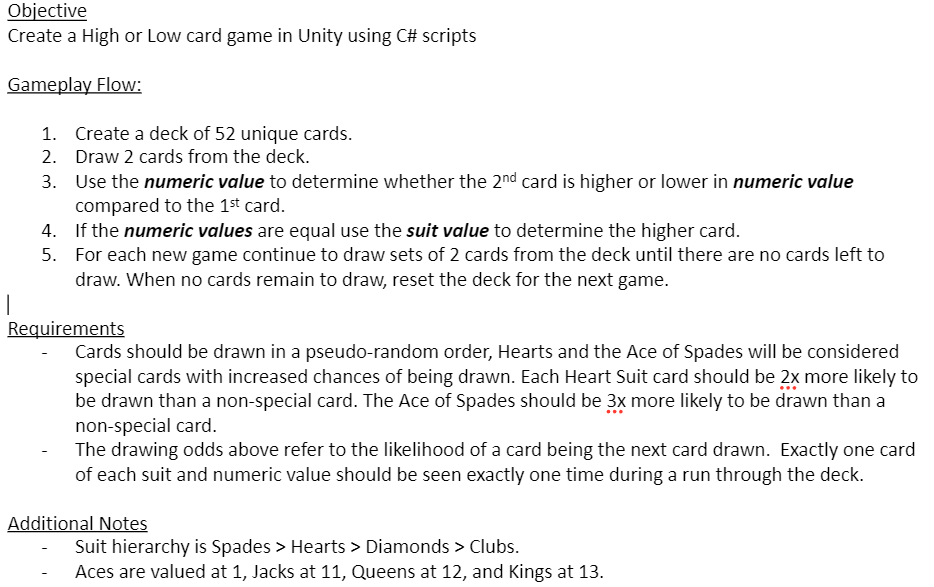
Exam Doc
I started by first laying out some quick ideas for the basic construction of the game. Initially, my focus was on two
things.
1. A way to compare cards
2. Selecting a card with a probability
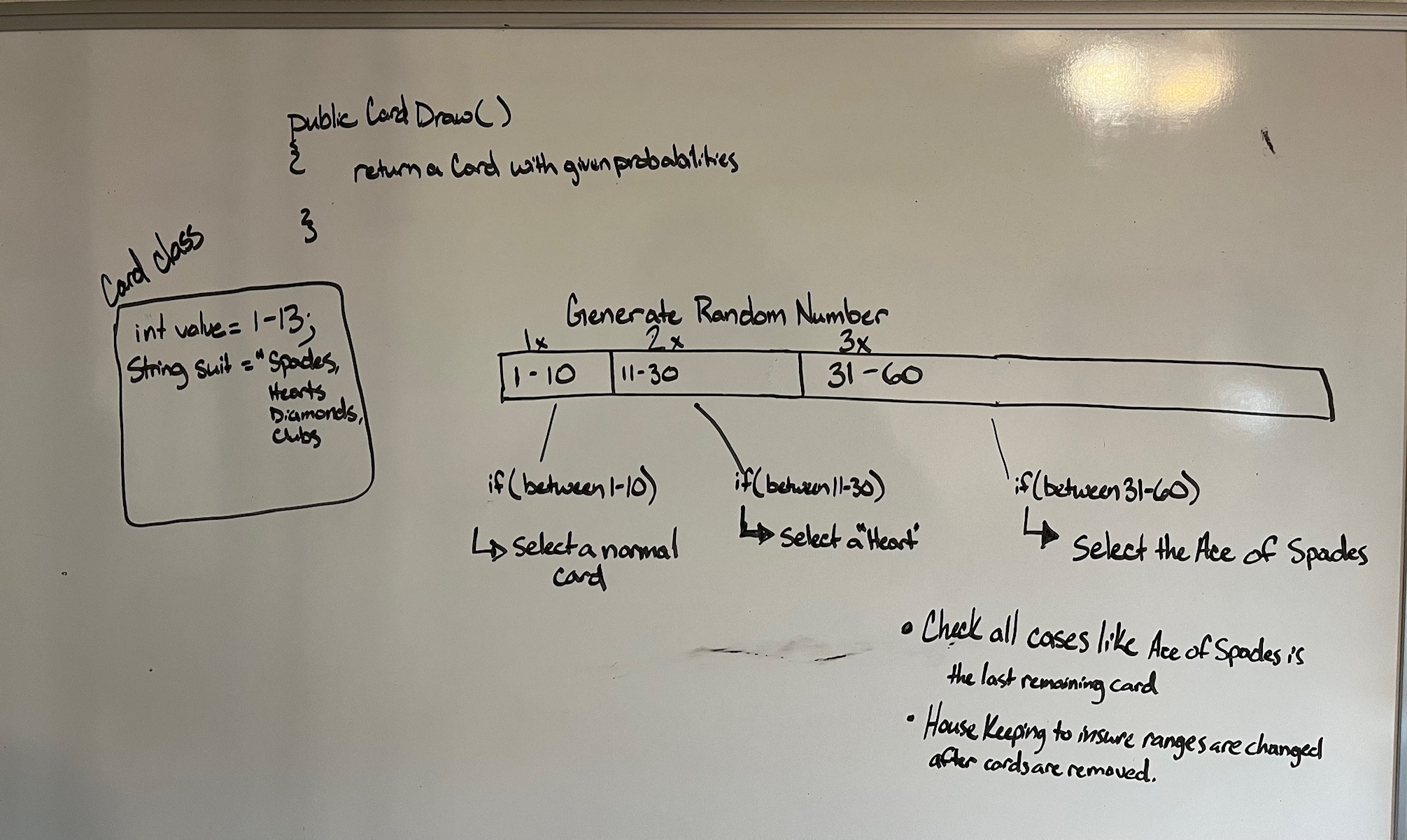
I decided a single card class with an integer to hold the value and a string to hold the suit would be enough to
distinguish between each card. Then I sketched out a small range of numbers to model the probabilities of each card
being drawn. My plan was to generate a number and check if it’s within a certain range. Each range would be sized
differently according to the desired probability. So in this case, with the Ace of Spades needing to be 3 times as
likely to appear, the range would be 3 times as large.
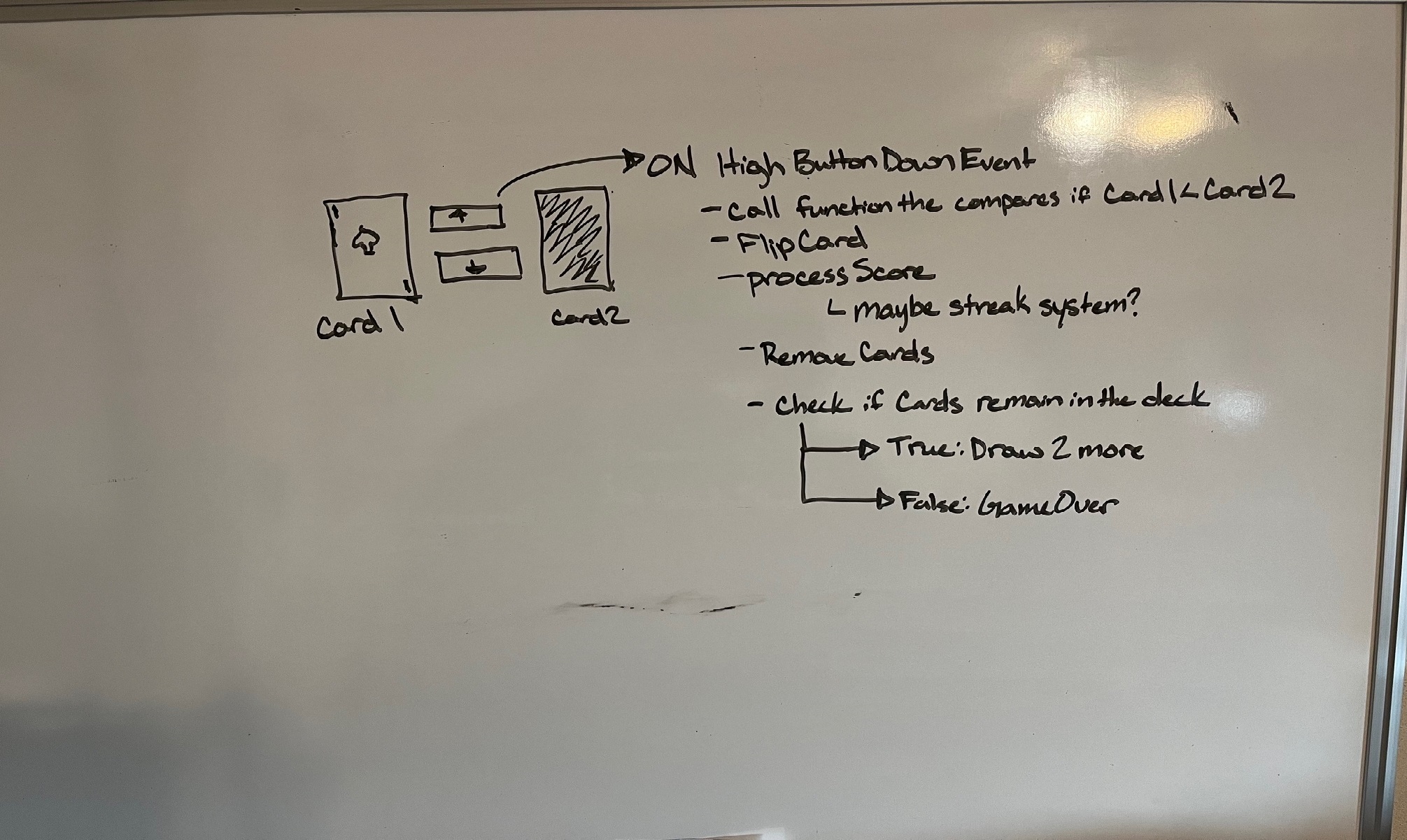
I also briefly sketched out the flow of the game and the loop. Anticipating simple button down input that will call a function that compares the two cards and gives a score according to what button was pushed. Then, handle removing the cards and check if there are still cards remaining to either deal again or display a game over.
public class Card : MonoBehaviour
{
    public Sprite face;
    public Sprite back;

    public int value;
    public string suit;

    private SpriteRenderer sRenderer;

    private void Awake()
    {
        sRenderer = GetComponent();
        sRenderer.sprite = back;
    }

}
I created a card class with variables for value and suit, plus two sprites for each card's back and face. I then made a prefab for each card in the editor. My intention was to provide extensibility by allowing custom decks to be created. No matter the game, a deck could be created out of a selection of card prefabs.
I created a game manager script and object to fully contain all aspects of the game's flow. Within this script I wrote the functionality for initializing a new game, dealing cards based on probability, and comparing the cards when a guess is submitted. In the editor I had public variables:
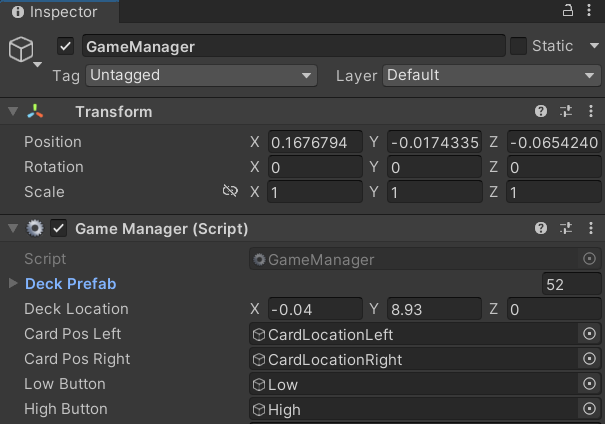
On the initial load of the game manager script, NewGame() is called. This function iterates through all of
the card prefabs that were added within the editor, instantiates them, and adds them to a list named currentDeck. It is
designed to be extensible so that when the hand is over, NewGame() can be called and the player can continue with
another hand.
I chose the List< > data structure here as it:
public class GameManager : MonoBehaviour
{
    public GameObject[] deckPrefab;
    public Vector3 deckLocation;
    public GameObject CardPosLeft;
    public GameObject CardPosRight;

    private List<GameObject> currentDeck;
    private GameObject card1;
    private GameObject card2;

    private void Awake()
    {
        NewGame();
    }

    private void NewGame()
    {
        if(currentDeck != null)
        {
            currentDeck.Clear();
            foreach (GameObject card in deckPrefab)
            {
                GameObject tempCard = Instantiate(card, deckLocation, Quaternion.identity);
                currentDeck.Add(tempCard);
            }
        }
        else
        {
            currentDeck = new List<GameObject>();

            foreach (GameObject card in deckPrefab)
            {
                GameObject tempCard = Instantiate(card, deckLocation, Quaternion.identity);
                currentDeck.Add(tempCard);
            }
        }
    }
}
The DrawCard() function incorporates all the logic for selecting a card given the
requirements of the exam document. This implementation, however, requires a lot
of house keeping to ensure edge cases are accounted for and probabilities remain
consistent while the conditions of the deck change, making it not very
extensible. I spotted an error even when writing this summary, so if I were to
do this again, I would consider a different approach.
public GameObject DrawCard()
{
    if (currentDeck.Count == 0) return null;

    bool normalCardsAvailable = currentDeck.Any(c => c.GetComponent<Card>().suit != "Hearts"
    && !(c.GetComponent<Card>().value == 1
    && c.GetComponent<Card>().suit == "Spades"));
    int maxRange;

    //****************************************** STEP 1 ***************************************************
    if (aceOfSpadesDrawn)
    {
        maxRange = heartsAvailable ? (normalCardsAvailable ? 30 : 20) : (normalCardsAvailable ? 10 : 0);
    }
    else
    {
        maxRange = heartsAvailable ? (normalCardsAvailable ? 60 : 90) : (normalCardsAvailable ? 40 : 1);
    }

    int randomNumber = Random.Range(1, maxRange + 1);
    List<GameObject> selectionPool;

    //****************************************** STEP 2 ***************************************************
    if (randomNumber <= 10 && normalCardsAvailable)
    {
        selectionPool = currentDeck.Where(c => c.GetComponent<Card>().suit != "Hearts"
        && !(c.GetComponent<Card>().value == 1
        && c.GetComponent<Card>().suit == "Spades")).ToList();
    }
    else if (randomNumber <= 30 && heartsAvailable)
    {
        selectionPool = currentDeck.Where(c => c.GetComponent<Card>().suit == "Hearts").ToList();
    }
    else if (randomNumber <= maxRange && !aceOfSpadesDrawn)
    {
        selectionPool = currentDeck.Where(c => c.GetComponent<Card>().value == 1
        && c.GetComponent<Card>().suit == "Spades").ToList();
    }
    else
    {
        selectionPool = new List<GameObject>(currentDeck);
    }

    //****************************************** STEP 3 ***************************************************
    if (selectionPool.Count > 0)
    {
        int index = Random.Range(0, selectionPool.Count);
        GameObject selectedCard = selectionPool[index];
        currentDeck.Remove(selectedCard);

        if (selectedCard.GetComponent<Card>().suit == "Spades"
        && selectedCard.GetComponent<Card>().value == 1)
        {
            aceOfSpadesDrawn = true;
        }

        if (selectedCard.GetComponent<Card>().suit == "Hearts")
        {
            heartsAvailable = currentDeck.Exists(c => c.GetComponent<Card>().suit == "Hearts");
        }

        return selectedCard;
    }
    return null;
}
When the player presses one of the buttons in game, a CompareCards() function
call is made, passing the 2 active cards along with a sting of the guess made.
A check is then made to see if the values are the same. If they are, it calls a
function to evaluate which suit is higher.
To compare the suits, I used a switch statement to assign an
integer value to each suit. (below)
private int GetSuitValue(string suit){
    switch (suit) {
        case "Spades": return 4;
        case "Hearts": return 3;
        case "Diamonds": return 2;
        case "Clubs": return 1;
        default: return 0;}
}
private bool CompareCards(GameObject first, GameObject second, string guess) {
if (first.GetComponent().value == second.GetComponent().value)
{
return CompareSuits(first, second, guess);
}
else
{
if (guess == "higher")
{
return second.GetComponent().value > first.GetComponent().value;
}
else
{
return second.GetComponent().value < first.GetComponent().value;
}
}
}
I wanted to add some feedback for the user when interacting with the buttons. Particularly when
hovering and pushing them. Therefore, I made button game objects with custom scripts that reside in the game world. To
do this I added a sprite renderer, box collider and imported a tweening library called iTween.
//Hovering
private void OnMouseEnter(){
sRenderer.sprite = hoverSprite;
iTween.ScaleTo(gameObject, iTween.Hash("scale", scaleTo, "time", scaleTime,
"looptype", iTween.LoopType.pingPong, "easetype", iTween.EaseType.linear));
AudioSource.PlayClipAtPoint(hoverSound, new Vector3(0, 0, 0));
}

//Pressing
private void OnMouseDown()
{
    AudioSource.PlayClipAtPoint(pressSound, new Vector3(0, 0, 0));
    iTween.PunchScale(gameObject, new Vector3(punchScale, punchScale, punchScale), punchScaleTime);
}
Initially, I had it coded to change the position of the cards from the deck to the game view. This made it seem that cards just “appeared” out of nowhere. It didn’t impact the way the game was played, however I added an iTween script to interpolate the position of the cards offscreen to the game view. This was able to give the impression of cards being dealt.
The first card 'flip' animation simply swapped the sprite displayed by the sprite renderer. Making the sprite smoothly give the 'flipping' effect was a bit more challenging. I couldn’t use the iTweening library because it lacked the flexibility I needed. Therefore, I created a coroutine with Mathf.Lerp() to perform half the rotation, swap the sprite, and then rotate back to the starting position. This method worked well and effectively created the impression of the card flipping. However, if you look closely, there is 'popping' that occurs with the left side of the card and the shadowing effect, due to how Unity rendering layers work
Before
After
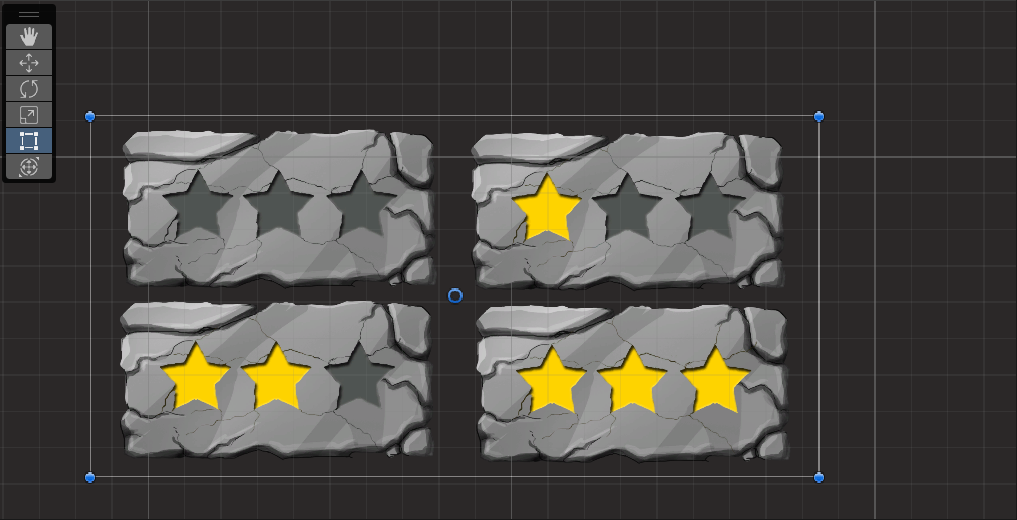
I wanted a way to visually display score increasing for the player, to make it feel more like a game.
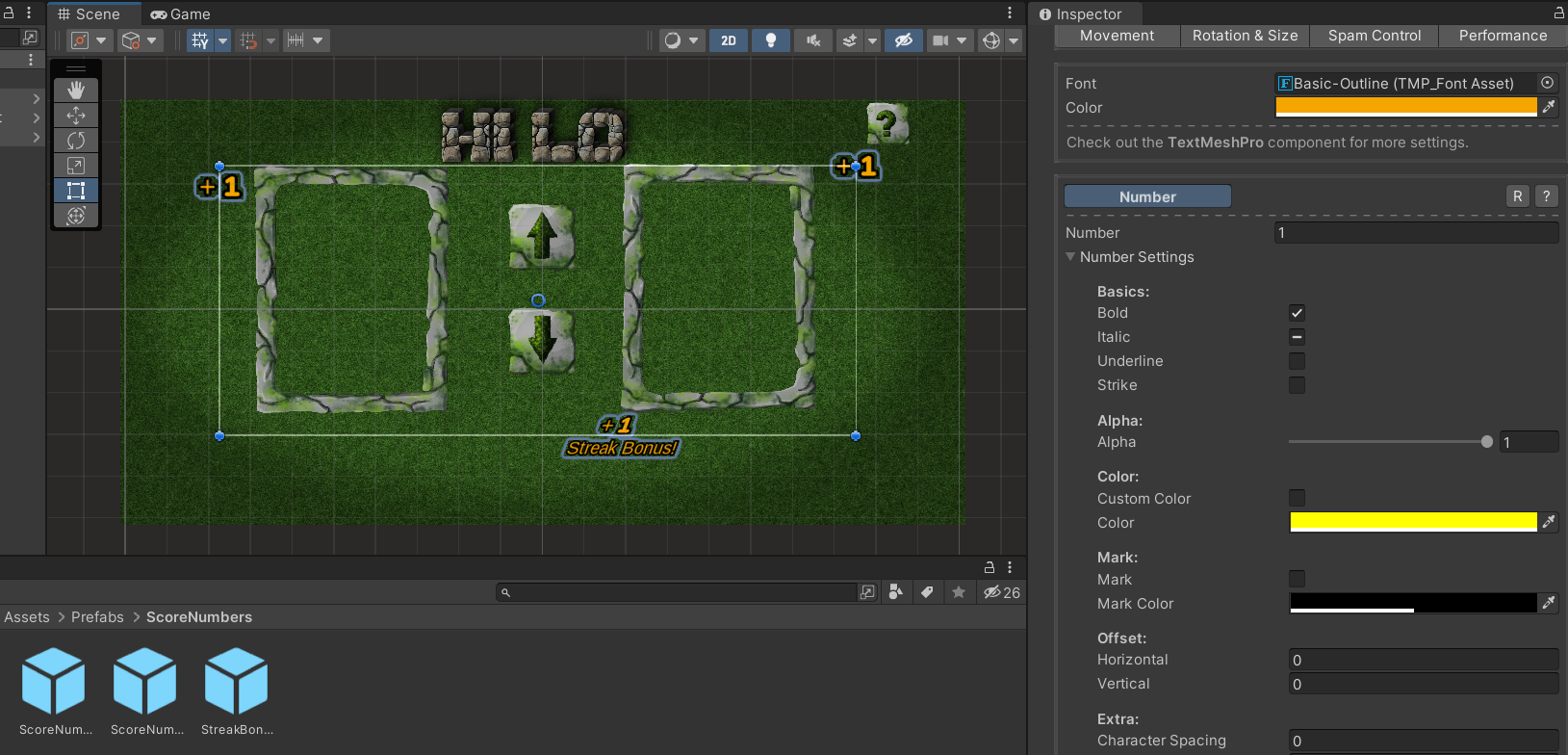
I implemented the Score Manager as a static instance to allow other scripts easy access to its functions. This script centralizes all the logic necessary for features such as:
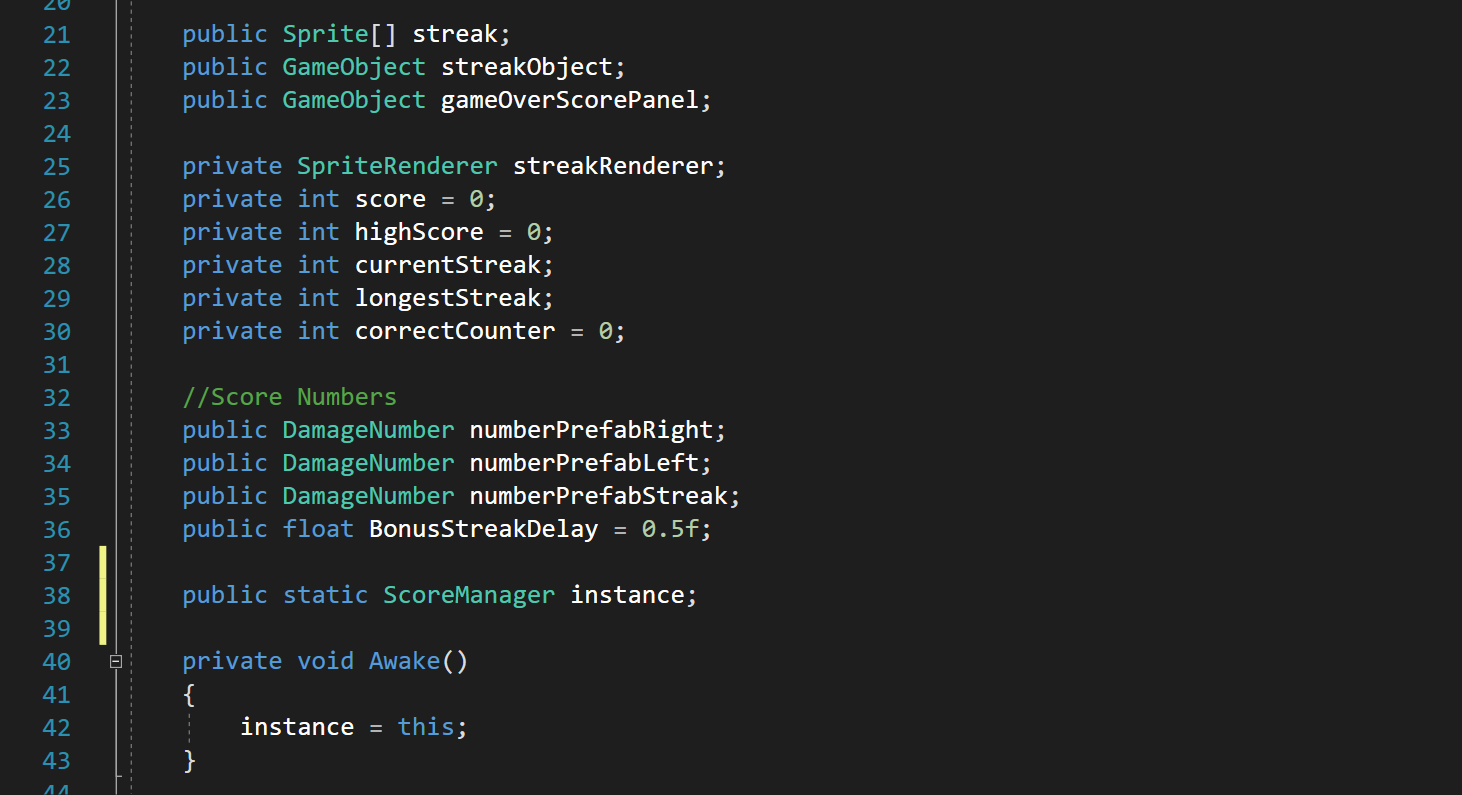
Static Class Creation
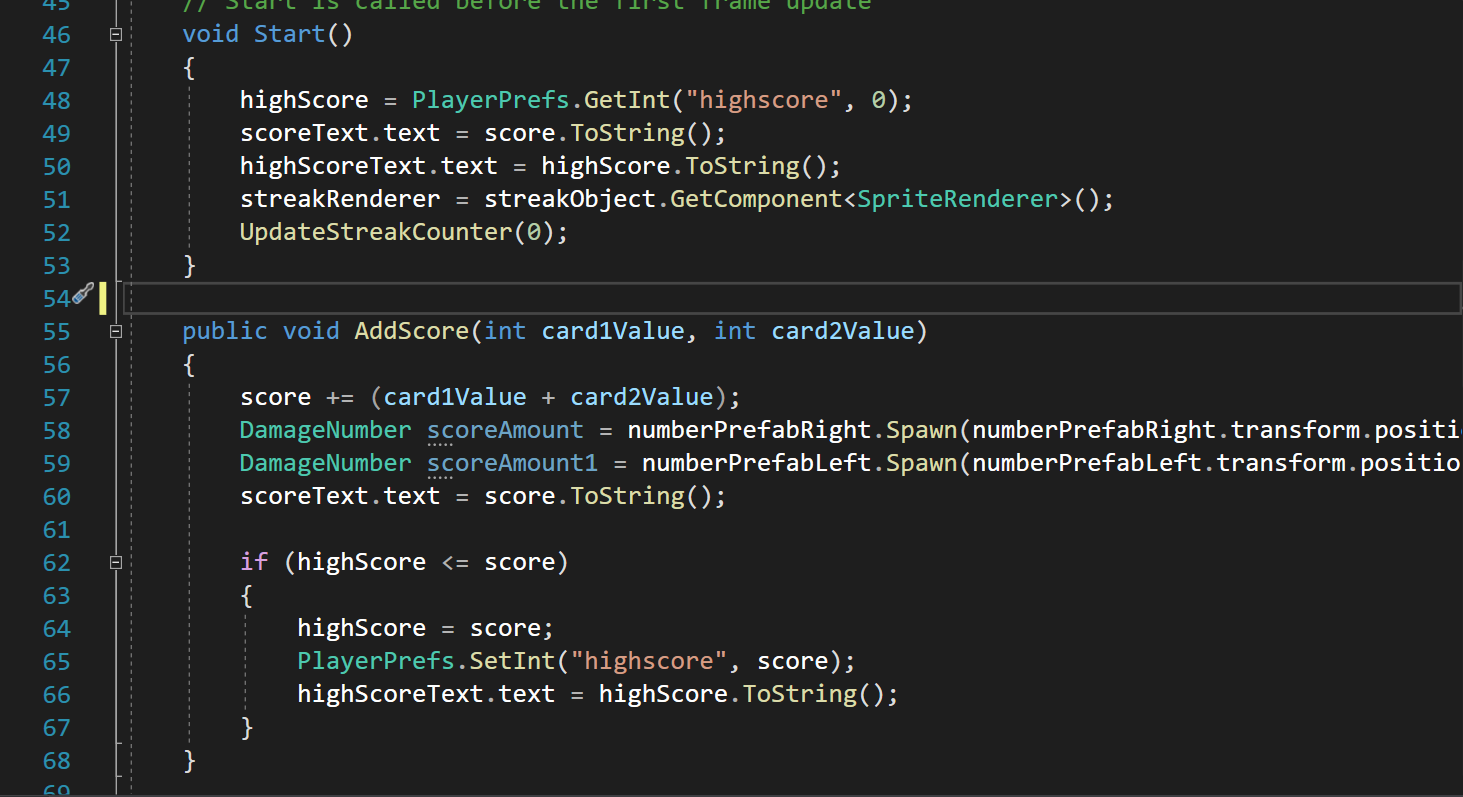
Add Score & High Score
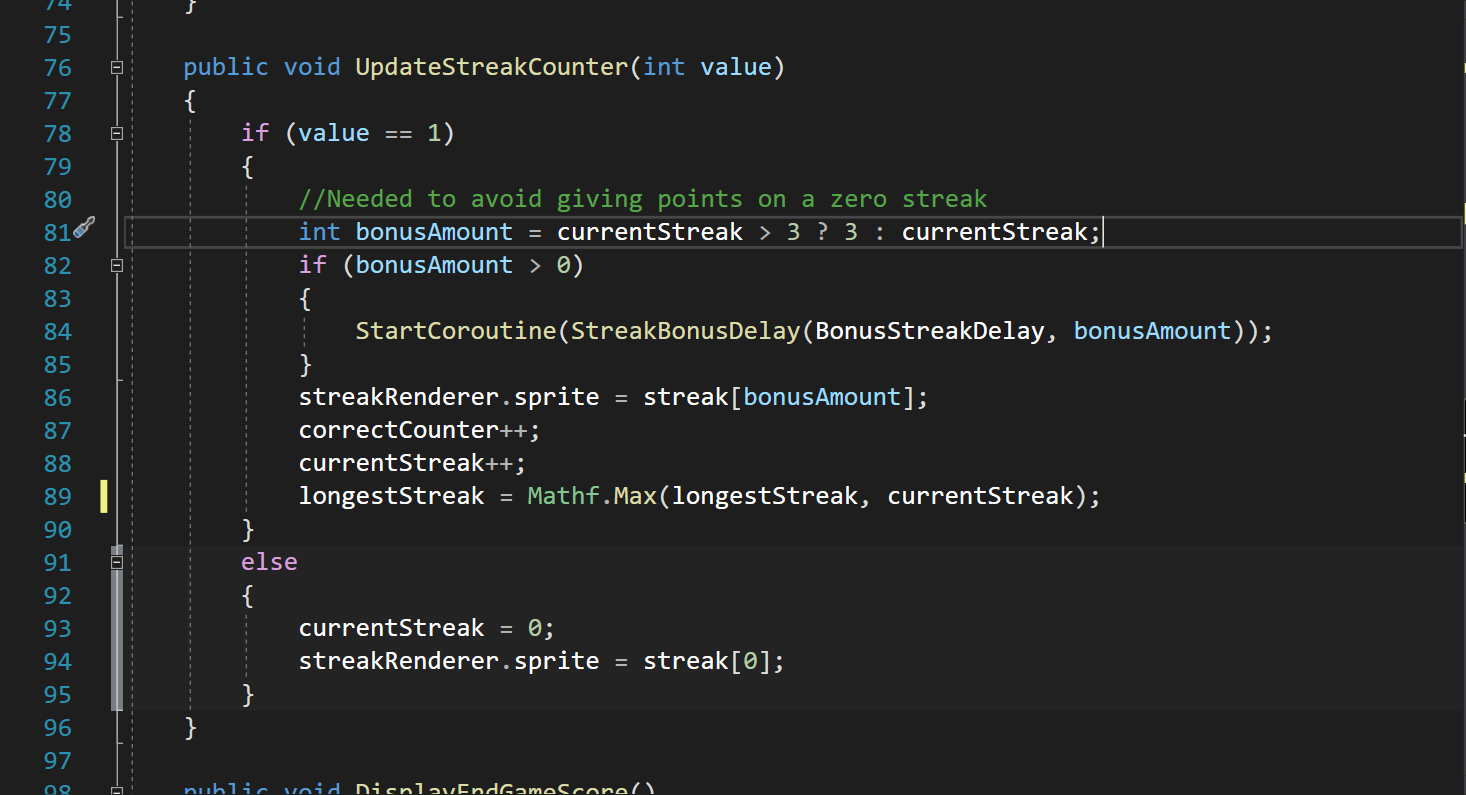
Update Current Streak